
$ 14,00
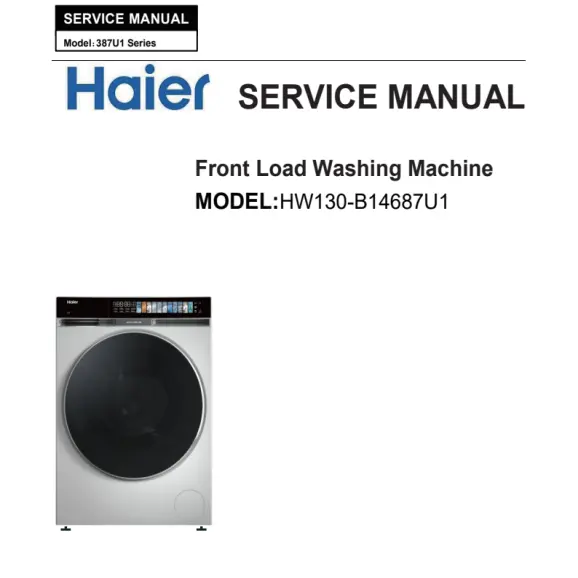
This Haier HW130-B14687U1 service manual PDF includes wiring diagrams, disassembly instructions, and troubleshooting guides.
Description
Document Information:
- Document Language: English
- Document Format: PDF
- Document Page: 46
Haier HW130-B14687U1 Service Manual Content:
Strategic Repair & Setup Guide
| If you are dealing with… | Go to Section… | Key Action |
| Connectivity Issues | 3-2 | Follow the App Pairing and Remote Control enablement steps. |
| An Error Code (E1, E2, etc.) | 7-1 | Identifies the specific sensor or motor failure detected by the board. |
| New Machine Vibration | 4-2 | Crucial: Ensure the Packing Bolts were removed; otherwise, the machine will walk. |
| Testing Components | 5-3-2 | Run the self-test program to check the pump, heater, and motor automatically. |
| Hardware Failure | Chapter 8 | The Disassembly Guide for accessing the drum, belt, or PCB. |
High-Value Technical Sections
- hOn App Integration (Section 3-2): These modern machines rely heavily on the app for advanced cycles and remote diagnostics. If the user can’t start a cycle or get “Remote Control” to work, check page 12 for the registration and pairing sequence.
- Self-Check & Model Selection (Section 5-3): This is a “Service Mode.” If you replace the Main PCB, you must go to 5-3-1 (Model Selection) to tell the new board which specific model it is controlling (drum size, max RPM, etc.), or it won’t work correctly.
- Main Component Parameters (Chapter 6): This section likely provides the resistance values for the heating element, NTC (temperature sensor), and the drain pump motor.
Common First-Time Setup Error
If this is a new installation and the machine is making a loud banging noise or moving across the floor, look at Section 4-2. Shipping bolts (packing bolts) are often left in by mistake, which prevents the drum from suspending properly on its springs and shocks.
Error Code Troubleshooting (Chapter 7)
Sections 7-2 and 7-3 distinguish between Error Displays (digital codes) and Faults (mechanical issues like “noise” or “leaks” that don’t trigger a code). Use 7-3 if the machine is behaving badly but the screen looks “normal.”
Reviews
There are no reviews yet.